


Imprint App
4.6771.00 Reviews
App Specs
- Version
- 3.33.0
- Updated On
- License
- Free
- Downloads
- 100,000+
- Developer
- Imprint Payments, Inc.
- Categories
- Finance
- Platform
- Android
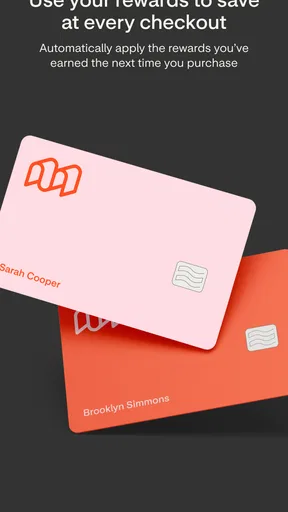
Screenshots
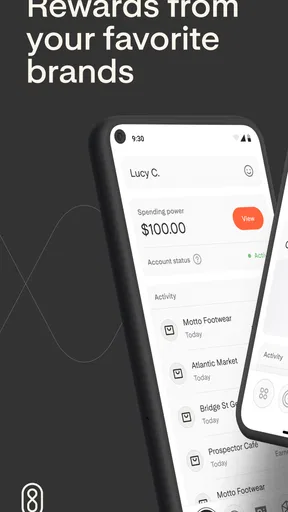
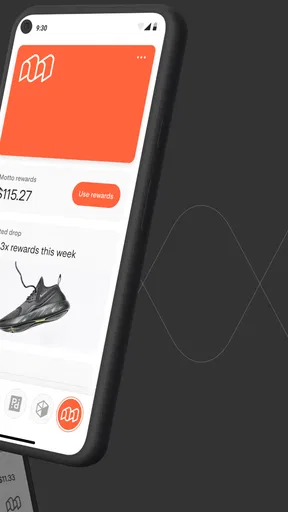
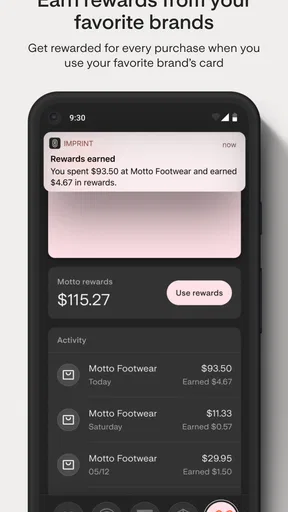
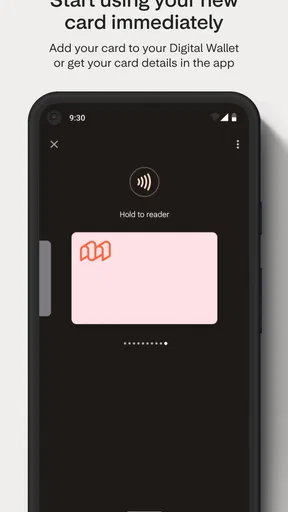
 Analysis by AppCompare
I usually judge a rewards app by what happens between seeing an offer and actually using it: how much setup it asks of me, whether the card fits my normal spending, and whether the reward is simple enough to remember. Imprint App is a finance app from Imprint Payments, Inc. built around cards and rewards, so I’d approach it as a way to manage a particular rewards relationship rather than as a general budgeting or banking tool. That distinction matters. It is most useful when its card fits purchases I already make, not when I’m looking for a new system to track every part of my money.
Start with the card, not the promise of rewards
Before relying on any card app, I’d first work out what card or account I’m trying to manage and what I expect to get from it. Imprint is free to download, but that does not tell me the terms of any card or offer I might use through it. I would read the relevant card details before changing my spending habits, and I wouldn’t treat an attractive rewards headline as a reason to buy something I had not planned to purchase.
That small bit of preparation makes the app easier to judge. If I already use an eligible card, the practical question is whether Imprint makes checking and using its rewards more convenient. If I don’t have a card connected to the experience I want, downloading the app alone may not give me a reason to keep it. I’d decide that first rather than expecting a finance app to create value just by being installed.
Following a purchase from plan to reward
I’d treat the purchase itself as the starting point: decide what I planned to buy, then check whether the card and its reward terms fit before I pay. That keeps the app in a supporting role rather than letting a reward steer my budget. From there, the useful question is how smoothly the purchase moves from checkout into the card and rewards routine.
Getting Started with Imprint
First things first, downloading the Imprint App is a breeze. It’s available on both Android and iOS, so no matter your device, you’re covered. Once you open the app, you’re greeted with a sleek and intuitive interface. Seriously, navigating through the app is as smooth as butter. You don’t need a tech degree to figure it out, which is always a win in my book.
As a finance app, it sits in a different lane from a full bank app or a budgeting tracker. I would not open it expecting to see a complete household budget, compare every transaction across my accounts, or plan bill payments. Its stated focus is cards and rewards. That narrower job can be a benefit: when I want to check the rewards side of a card, a focused tool may be less distracting than a large banking app with many unrelated menus.
Features That Shine
So, what does Imprint bring to the table? Well, it’s packed with features aimed at helping you grow and develop. The app offers a variety of categories to explore, such as productivity, mindfulness, and even fitness. It’s like having a library of self-help books in your pocket, and you can dive into whatever suits your fancy.
Worth Reading Before You Choose

EA SPORTS FC Mobile 26 Is a Bigger Football Game, but It Takes Time

Flipboard Shows What News Apps Must Do Beyond the Feed

Switching to Android Auto Means Rethinking Your Driving Routine

Google Calendar Makes a Crowded Week Easier to Manage

Ludo King Makes the Most of the Minutes Between Plans

Baby Panda World Brings Quick Play to Modern Phones, but Its Game Library Feels Busy
One of the standout features is the personalized content that adapts to your preferences. When you first set up the app, it asks you a few questions to tailor the experience just for you. I found this particularly helpful because it meant I wasn’t bombarded with irrelevant content. Instead, I got what I needed, when I needed it.
For a card-and-rewards workflow, my first practical step would be to identify the purchase before I reach checkout. I’d check whether the card and any relevant offer apply, then compare the expected benefit with the price and convenience of paying another way. That sequence is more reliable than making a purchase first and assuming the reward will follow. It also helps me avoid a common rewards trap: spending extra just to feel that I’m earning something back.
For example, imagine I’m buying groceries during a normal weekly shop. I would not add products to chase a reward. I’d check the card’s relevant terms before paying, use the card only if it suits the purchase, and later look for the resulting activity in the appropriate account or app. That creates a clear handoff: Imprint can help with the card-and-rewards side, while my own shopping plan and budget still decide what I buy. I find that division healthier than asking rewards to set my spending priorities.
Daily Impressions: A Game Changer
Let me tell you about the “Daily Impressions.” These are bite-sized pieces of content designed to give you a quick boost or a moment of reflection. They’re perfect for those of us who are always on the go. Whether it’s a motivational quote or a short exercise, they’re all about helping you start your day on the right foot.
Plus, the app tracks your progress, which is super motivating. Seeing how far you’ve come is a great way to keep pushing forward. The habit tracker is another nifty feature. It lets you set goals and gently nudges you to keep up with them. It’s like having a personal coach cheering you on every step of the way.
For rewards, the equivalent of a useful routine is a quick check at a sensible point in the purchase cycle, not constant monitoring. I’d review the card details before a planned purchase and then check the account after it has had time to appear. If I’m comparing two payment options, I’d consider the full value to me: the reward, any restrictions, and how much effort it takes to claim or use it. A reward that is awkward to redeem may be less useful than a straightforward benefit, even if it looks appealing at first.
What happens between the app and the rest of my finances
The handoff is where I’d keep my expectations grounded. A card-focused app can help me understand or manage its own rewards experience, but it is not automatically a replacement for my bank’s account history, a spreadsheet, or a dedicated budgeting app. I’d use the primary account or card provider’s information when I need to confirm a charge, payment status, or the terms that govern a transaction. For broad spending decisions, I’d continue to rely on the tool where I can see the bigger financial picture.
This separation is useful for people who already have a routine. I might use my bank app to check my balance, a budget tool to see how much I have left for groceries, and Imprint when I need to handle the relevant card or reward. The trade-off is having another place to check. If I only use one card and rarely care about rewards, the extra app may not earn a regular spot on my home screen.
I’d also avoid treating an in-app display as a reason to delay resolving a payment question. If a purchase appears differently than expected, I would check the card account and the applicable terms rather than guessing from a rewards view alone. Keeping the original receipt for a purchase I may need to return is another simple habit: rewards and returns can involve separate steps, and the receipt remains useful regardless of which app I use.
User Experience and Design
Now, let’s talk about the overall user experience. As I mentioned earlier, the design is clean and intuitive. The color scheme is easy on the eyes, making it a pleasure to use for extended periods. You won’t find any annoying pop-ups or ads, which is a huge plus in today’s app-filled world.
The app is also pretty lightweight, so it doesn’t eat up your phone’s storage or drain your battery. It runs smoothly, even on older devices, which is a testament to its well-thought-out design.
Imprint has an average rating of 4.6 from around 7,100 ratings, with roughly 700 written reviews, and it has been installed over 100,000 times. I see that as a sign that plenty of people have tried it, not proof that every card or rewards setup will suit me. The app is free, has an Everyone age rating, and its current version is 3.30.4; it first appeared on November 24, 2021, and requires Android 10 or later. Those details make it easier to judge whether it fits my device, but they don’t answer the more personal question of whether its card experience matches my spending.
Compared with the usual alternatives, the choice depends on what I’m trying to do. A bank’s own app is the natural place to confirm account activity and payment details. A general budgeting app is better when I want to organize spending across categories or accounts. A card-and-rewards app is the more focused option when I want to handle that card’s rewards without mixing the task into a broader budget. I would not expect one of those tools to do the other two jobs equally well.
When the workflow stops being worth it
The main friction is not necessarily navigation; it is whether I have a reason to return. A rewards app can feel effortless when I already use its card, but less useful when I have to remember a separate offer, check extra conditions, or make a special trip to benefit. I would not add a purchase, carry a balance, or change my regular payment habits simply to make the app feel worthwhile. Rewards only help me if the underlying spending still makes sense.
I would also skip it if what I really need is a complete view of cash flow, shared household expenses, or a detailed plan for paying down debt. Those tasks call for broader financial tools and, sometimes, direct conversations with a bank or adviser. Imprint’s narrower card-and-rewards focus is not a weakness for the right person, but it is a poor substitute for those jobs.
Before committing to a routine, I’d ask myself a few practical questions. Do I already have a relevant card? Can I understand the terms before I pay? Will I remember where to check the result? And would I still make the same purchase without the reward? If the answers are mostly yes, the app may fit neatly into an existing routine. If I’m unsure about the card terms or find myself spending more to chase benefits, I’d pause and use my usual payment method instead.
Final Thoughts
All in all, the Imprint App is a fantastic tool for anyone looking to embark on a journey of personal growth. With its wide range of features, easy-to-use interface, and personalized content, it stands out in the crowded space of self-help apps.
If you’re someone who’s always looking to improve and make the most out of each day, I’d highly recommend giving Imprint a try. It’s like having a pocket-sized mentor, always ready to guide and inspire you. So, go ahead and check it out – you might just find it’s the missing piece in your personal development puzzle.
For me, the sensible recommendation is more specific: consider Imprint when you want a focused way to engage with its cards and rewards, and keep your bank and budgeting tools for the jobs they already do well. I’d start by checking the card details, use it on an ordinary planned purchase, and see whether the resulting process feels clear enough to repeat. If that simple test saves effort without changing what I buy, it has a place in my finance routine. If it adds another stop without a meaningful benefit, I’d leave it aside.
Pros
- User-friendly interface for easy navigation.
- Comprehensive tracking of habits and goals.
- Customizable reminders to stay on track.
- Insightful analytics for personal growth.
- Seamless sync across multiple devices.
Cons
- Limited free features; premium required.
- Occasional sync issues reported by users.
- No offline mode available.
- Notifications can be overwhelming.
- UI lacks advanced customization options.
FAQs for Imprint App
What is the main purpose of the Imprint App?
The Imprint App is designed to help users build and maintain productive habits and routines. It provides tools for tracking progress, setting goals, and receiving motivational insights. The app aims to enhance personal development by encouraging users to focus on self-improvement and mindfulness through structured habit-building techniques.
Is the Imprint App suitable for beginners in habit tracking?
Absolutely! The Imprint App is user-friendly and perfect for beginners. It offers a simple interface with guided tutorials to help new users understand how to set up and track their habits effectively. The app provides customizable goal-setting options and reminders to assist users in staying consistent with their new routines.
Does the Imprint App offer any integration with other apps or devices?
Yes, the Imprint App integrates seamlessly with various fitness trackers and calendar apps, allowing users to synchronize their data effortlessly. This integration helps users maintain a cohesive overview of their daily activities and progress, making it easier to manage their schedules and stay on top of their goals.
Are there any subscription fees or in-app purchases associated with the Imprint App?
The Imprint App is available as a free download with basic features. However, it offers premium plans with additional functionalities, such as advanced analytics and personalized coaching. Users can choose to subscribe monthly or annually, and there are occasional promotions offering discounts for new subscribers.
How does the Imprint App ensure user data privacy and security?
User privacy and data security are top priorities for the Imprint App. The app employs robust encryption methods to protect user information. Additionally, it complies with international data protection regulations and provides clear privacy policies. Users can review and manage their data settings within the app to ensure their information is handled securely.


